DNS over HTTPS (DoH): what it changes for privacy and for troubleshooting
Every major browser can encrypt DNS now. What that protects, what it can quietly break, and how to tell which resolver actually answered.
DNS spent forty years as postcards: every query readable by anyone on the path (the coffee-shop Wi-Fi, the ISP, the corporate middlebox). DNS over HTTPS seals the postcard in an envelope, tunnelling queries inside ordinary TLS to port 443. Every major browser supports it, and Chrome and Firefox have been switching it on automatically since 2020: each in its own way.
The privacy win, the operations headache
The win is real: on hostile networks, your lookup history is no longer broadcast. The headache depends on how it was switched on. Chrome’s automatic mode only upgrades you to the encrypted endpoint of the resolver you already use. Firefox’s automatic mode, in the countries where it is on, sends lookups to a resolver Mozilla has vetted, and anyone can point a browser at Cloudflare or Google by hand. Whenever the browser asks a different resolver from the one your DHCP server hands out, split-horizon DNS (where intranet.corp only resolves internally), parental controls and malware filtering that worked by watching port 53 stop seeing those lookups. That is why Firefox checks first: a network can switch its automatic DoH off by answering the canary domain use-application-dns.net with NXDOMAIN, and managed machines can turn it off by policy.
The tell when troubleshooting: dig from the terminal returns one answer, the browser sees another. Classic DoH split: the OS resolver and the browser resolver are no longer the same thing.
The learner’s takeaway
Name resolution is now plural. When you debug it, ask which resolver: the OS stub, the router, or the browser’s DoH endpoint? Our DNS Lookup tool and the resolution lesson give you the mental model; this article is why you will need it.
Why this matters if you’re learning networking: “Works in the terminal, fails in the browser” DNS tickets are a direct consequence of DoH defaults. Knowing to check the browser resolver separately will make you look psychic on a help desk.
Keep reading
Related
-
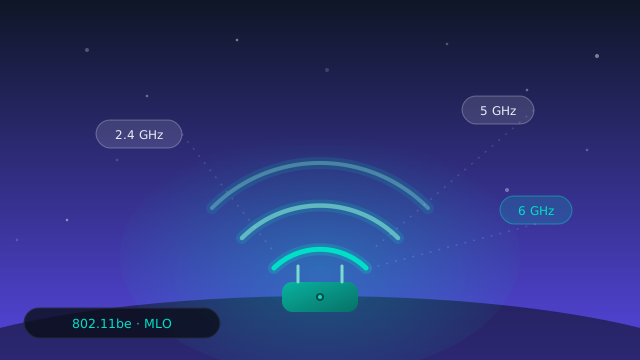
Wi-Fi 7 Multi-Link Operation (MLO): what it changes for your home lab
MLO is the headline feature of Wi-Fi 7. What actually changes for latency and for your packet captures, and what is still marketing or waiting for Wi-Fi 8.
-
RPKI passes 60% of IPv4 routes: what a signed origin protects, and what it can’t
A quiet security milestone: most announced IPv4 routes now carry a valid signed origin. What that stops, what it can't, and why the rest is slow.
-
IPv6 passes half of Google’s users: what the milestone does and doesn’t mean
In March 2026, for the first time, more than half of the users reaching Google arrived over IPv6. Why that majority and the website majority still point in opposite directions.